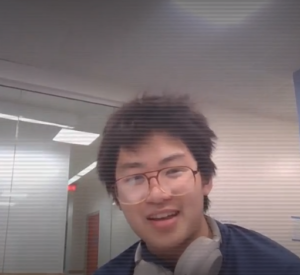
Last week’s Vivero training module focused on WeVideo. WeVideo is a video editing software, for multimedia creation. The training involved walking us through the existing Vivero documentation on the software, and then creating a short 20-30 second video of me and another Vivero Fellow.
Many of my weekly trainings are meant to be conducted with the other fellows, but we often end up just working on our own, somehow. This time, since everyone needed someone else’s face in their video for the final video, there was a lot more chatter and conversation in Burling Basement.
The process was fairly straightforward, despite some difficulties with logging in. The College bought a ton of content and so I had a good stockpile of content and effects to work with. I used a flickering effect and some others, as well as dramatic historical drama stock music.
What did you find most interesting? What did you find most frustrating?
In my video with Ngoc (another Vivero Fellow), we discussed using WeVideo versus another common online video editing software, CapCut. I’ve used both at this point. To be fair, CapCut was easier and more user-friendly, though I appreciate all of the purchased stock content that Grinnell has bought for its students. I can access music, filters, backgrounds. It does take some getting used to.
How would you feel about helping someone else learn how to use it?
I’d feel great! It’s straightforward, and the hardest part is likely the account set up.
What questions do you still have, and what parts of the tool do you want to explore more deeply?
Well, having some officially working software for video editing is very useful. It might open up possibilities to short video projects, or to shoot a short film for the Titular Head film festival coming up on campus. I know the Mac desktops in the Digital Studio have iMovie, which is also another user-friendly (perhaps more user-friendly than WeVideo, though not as accessible online).
Leave a Reply